> ## Documentation Index
> Fetch the complete documentation index at: https://docs.beam.ai/llms.txt
> Use this file to discover all available pages before exploring further.
# Quick-start: Setup Your First Agent
> Deploy your first AI agent in minutes using pre-configured templates with integrated components
Deploy your first AI agent using Beam's template system. Templates provide pre-configured workflows with integrated LLM infrastructure, integrations, and monitoring.
## Before You Begin
Ensure you have:
* Active Beam workspace with appropriate permissions
* Modern browser (Chrome, Firefox, Safari, Edge)
* Basic understanding of your automation goal
## Build Your First Agent
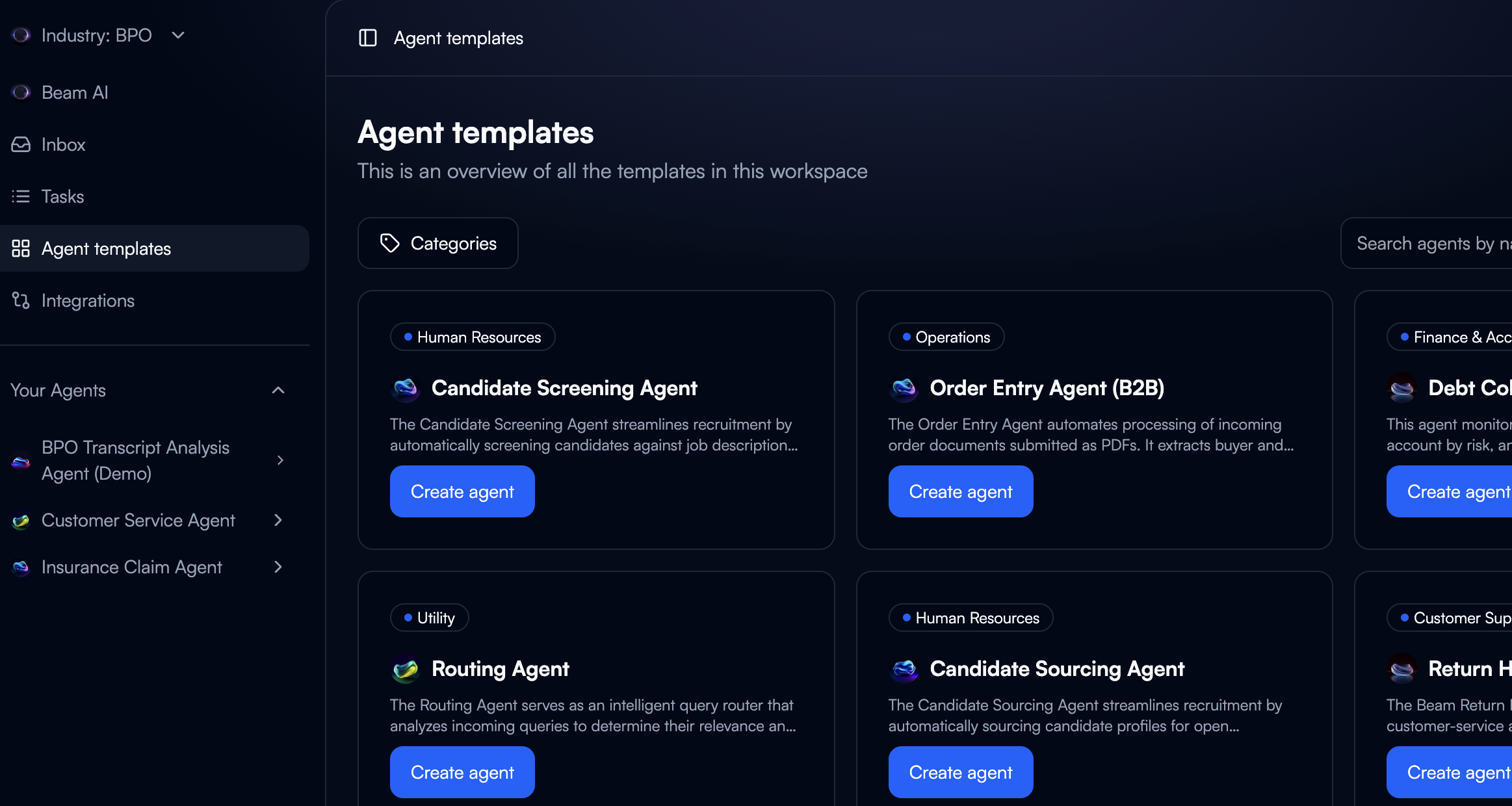
Navigate to your Beam dashboard and access the template gallery.
**Available Templates**:
* Customer service automation
* Data processing workflows
* Report generation
* Email management
* Document analysis
Click **"Create Agent"** and select a template matching your use case.
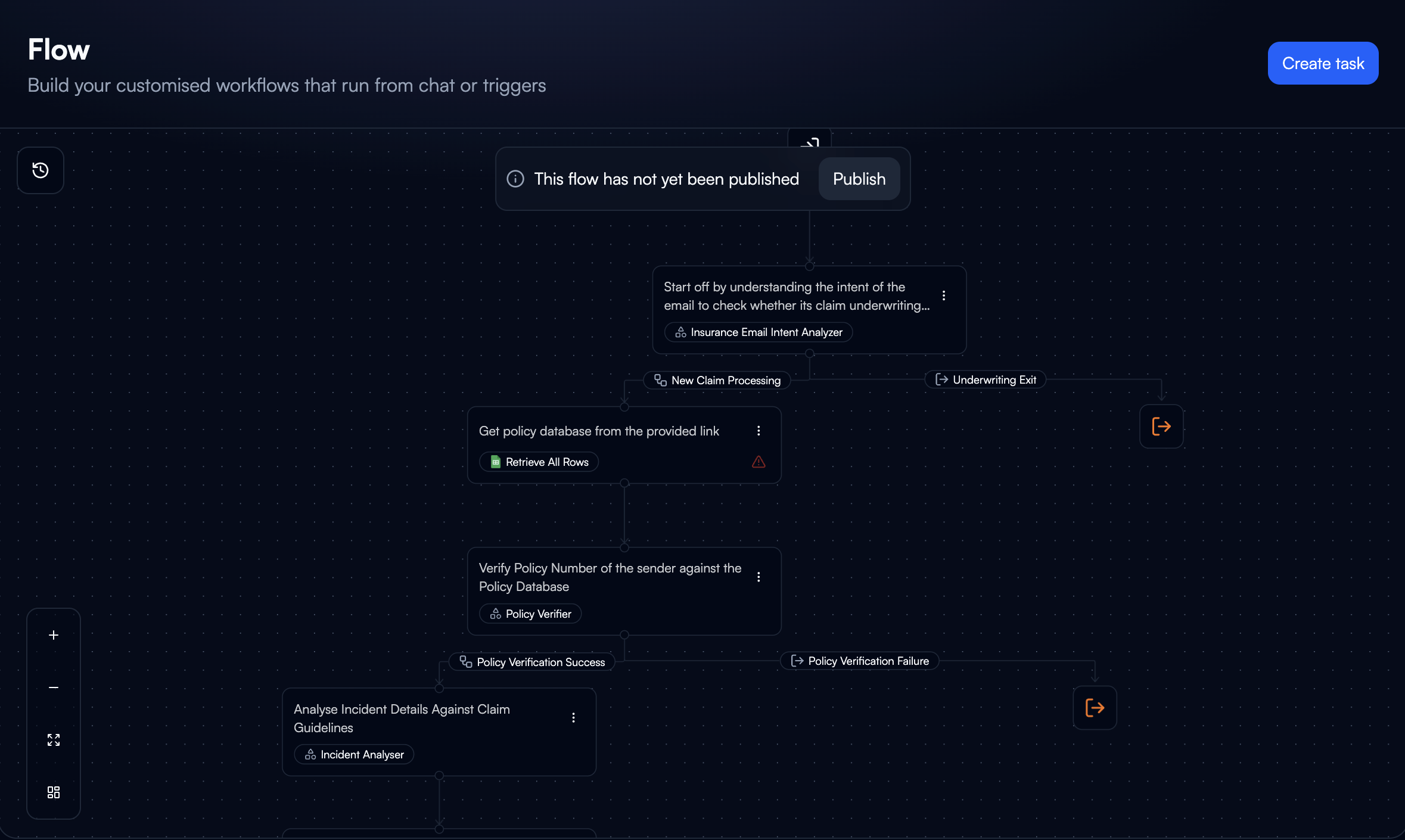
 Customize the template using the visual flow builder.
**Configuration Options**:
* **Agent Instructions**: Define goals and constraints
* **Flows**: Modify the workflow graph
* **Input Variables**: Specify data sources and formats
* **Output Formats**: Configure result structure
* **Execution Triggers**: Set scheduling or event-based activation
Changes update the visual graph in real-time.
Customize the template using the visual flow builder.
**Configuration Options**:
* **Agent Instructions**: Define goals and constraints
* **Flows**: Modify the workflow graph
* **Input Variables**: Specify data sources and formats
* **Output Formats**: Configure result structure
* **Execution Triggers**: Set scheduling or event-based activation
Changes update the visual graph in real-time.
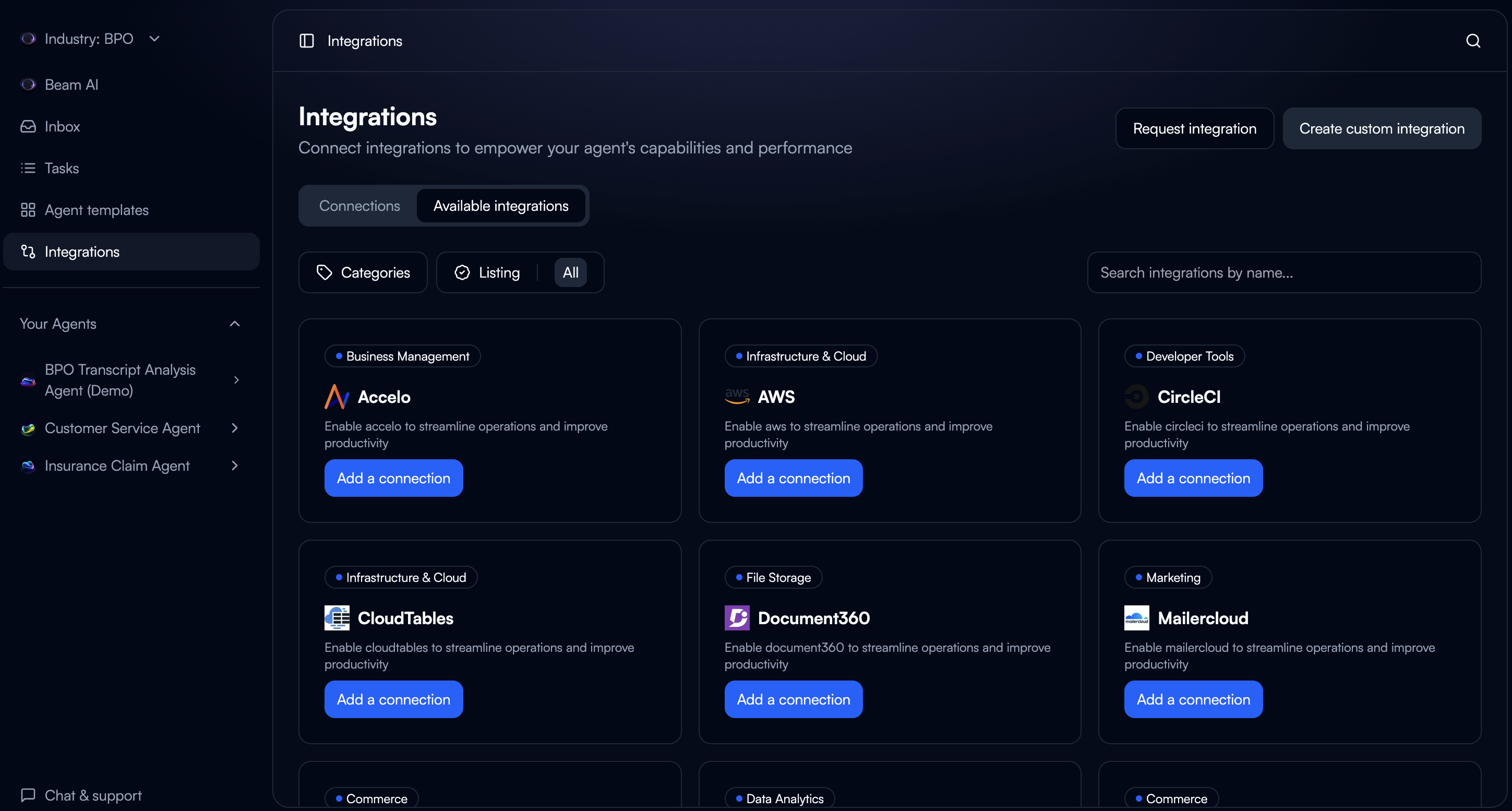
 Add integrations from Beam's 1500+ pre-built connectors. Authentication, rate limiting, and error handling are managed by the platform.
**Integration Process**:
1. Select required integrations from the catalog
2. Authorize connections through OAuth flows
3. Map data fields between systems
4. Configure retry and fallback behaviors
**Common Integrations**:
* Email (Gmail, Outlook, Exchange)
* CRM (Salesforce, HubSpot)
* Databases (PostgreSQL, MongoDB)
* Storage (S3, Google Drive, Dropbox)
* Communication (Slack, Teams)
Add integrations from Beam's 1500+ pre-built connectors. Authentication, rate limiting, and error handling are managed by the platform.
**Integration Process**:
1. Select required integrations from the catalog
2. Authorize connections through OAuth flows
3. Map data fields between systems
4. Configure retry and fallback behaviors
**Common Integrations**:
* Email (Gmail, Outlook, Exchange)
* CRM (Salesforce, HubSpot)
* Databases (PostgreSQL, MongoDB)
* Storage (S3, Google Drive, Dropbox)
* Communication (Slack, Teams)
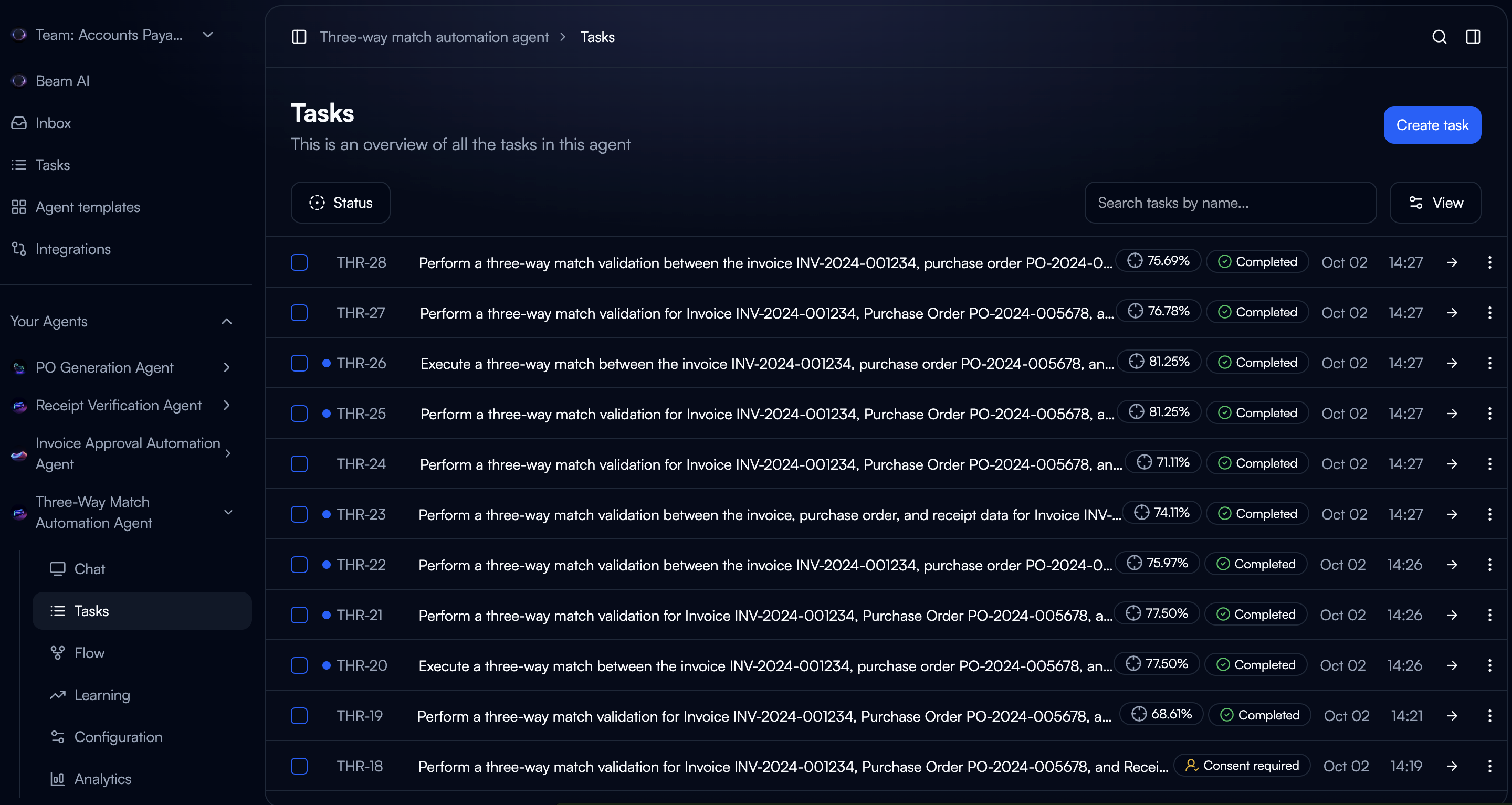
 Create test tasks to verify agent execution.
**Testing Workflow**:
1. Click **"Create Task"** from the agent dashboard
2. Provide input data
3. Monitor real-time execution through the visual flow
4. Review output quality and execution time
5. Inspect node-level logs for debugging
Create test tasks to verify agent execution.
**Testing Workflow**:
1. Click **"Create Task"** from the agent dashboard
2. Provide input data
3. Monitor real-time execution through the visual flow
4. Review output quality and execution time
5. Inspect node-level logs for debugging
 Analyze test results before production deployment.
**Optimization Checklist**:
* Output quality meets requirements
* Execution time within acceptable limits
* Error handling covers edge cases
* Integration mappings validated
* Fallback procedures defined
Make your agent accessible via API.
**Publishing Process**:
1. Click **"Publish Agent"** to generate API endpoint
2. Agent becomes accessible via public URL with API key authentication
3. Example: `https://app.beam.ai/public/chat/{agent-id}?apiKey=[API_KEY]`
**What You Get**:
* Public API endpoint
* API key authentication
* Integration with your applications
* Access control management
## Example: Customer Service Email Agent
Build customer service automation using the Customer Service Agent template.
**Use Case**: Automatically classify emails and generate draft responses for human review.
**Workflow**:
```
Email Ingestion → Content Analysis → Classification → Response Generation → Human Review
```
**Pre-configured**:
* OAuth authentication with Gmail/Outlook
* Automatic polling or webhook triggers
* Email parsing and metadata extraction
**Your Customization**:
* Select inbox to monitor
* Define filtering criteria
* Set execution frequency
**Pre-configured**:
* NLP-based content extraction
* Sentiment analysis
* Intent detection
* Entity recognition
**Your Customization**:
* Define business-specific entities
* Adjust sentiment thresholds
* Configure priority scoring
**Pre-configured**:
* Multi-label classification
* Confidence scoring
* Fallback handling
* Auto-escalation for low confidence
**Your Customization**:
* Define categories
* Set confidence thresholds
* Map categories to templates
**Pre-configured**:
* Context-aware drafting
* Tone consistency
* Template variable filling
* Compliance filters
**Your Customization**:
* Upload response guidelines
* Define brand voice
* Configure templates
* Set response length
**Pre-configured**:
* Slack/Teams notifications
* Approval workflow
* Escalation routing
* Audit trail
**Your Customization**:
* Define team assignments
* Set SLA timers
* Configure actions
* Map escalation paths
## Troubleshooting
**Common Issues**:
* **Input Validation**: Check formats match expected schema
* **Integration Errors**: Verify OAuth tokens and API credentials
* **Flow Logic**: Review node connections and conditional logic
* **Logs**: Access detailed logs from agent dashboard
**Optimization**:
* **Prompts**: Use optimization feature to test variations
* **Input Quality**: Add preprocessing nodes for data cleaning
* **Model Selection**: Review routing decisions, manually specify models
* **Feedback**: Enable HITL review for low-confidence outputs
**Solutions**:
* **Speed**: Identify slow nodes, optimize prompts, enable parallel execution
* **Scaling**: Configure concurrency limits, enable auto-scaling
* **Monitoring**: Track resource usage patterns
## Next Steps
Create and configure agents with flows and tools
Set up integrations and API connections
Debug agents and rerun failed tasks
Improve agent accuracy with AI-powered optimization
Analyze test results before production deployment.
**Optimization Checklist**:
* Output quality meets requirements
* Execution time within acceptable limits
* Error handling covers edge cases
* Integration mappings validated
* Fallback procedures defined
Make your agent accessible via API.
**Publishing Process**:
1. Click **"Publish Agent"** to generate API endpoint
2. Agent becomes accessible via public URL with API key authentication
3. Example: `https://app.beam.ai/public/chat/{agent-id}?apiKey=[API_KEY]`
**What You Get**:
* Public API endpoint
* API key authentication
* Integration with your applications
* Access control management
## Example: Customer Service Email Agent
Build customer service automation using the Customer Service Agent template.
**Use Case**: Automatically classify emails and generate draft responses for human review.
**Workflow**:
```
Email Ingestion → Content Analysis → Classification → Response Generation → Human Review
```
**Pre-configured**:
* OAuth authentication with Gmail/Outlook
* Automatic polling or webhook triggers
* Email parsing and metadata extraction
**Your Customization**:
* Select inbox to monitor
* Define filtering criteria
* Set execution frequency
**Pre-configured**:
* NLP-based content extraction
* Sentiment analysis
* Intent detection
* Entity recognition
**Your Customization**:
* Define business-specific entities
* Adjust sentiment thresholds
* Configure priority scoring
**Pre-configured**:
* Multi-label classification
* Confidence scoring
* Fallback handling
* Auto-escalation for low confidence
**Your Customization**:
* Define categories
* Set confidence thresholds
* Map categories to templates
**Pre-configured**:
* Context-aware drafting
* Tone consistency
* Template variable filling
* Compliance filters
**Your Customization**:
* Upload response guidelines
* Define brand voice
* Configure templates
* Set response length
**Pre-configured**:
* Slack/Teams notifications
* Approval workflow
* Escalation routing
* Audit trail
**Your Customization**:
* Define team assignments
* Set SLA timers
* Configure actions
* Map escalation paths
## Troubleshooting
**Common Issues**:
* **Input Validation**: Check formats match expected schema
* **Integration Errors**: Verify OAuth tokens and API credentials
* **Flow Logic**: Review node connections and conditional logic
* **Logs**: Access detailed logs from agent dashboard
**Optimization**:
* **Prompts**: Use optimization feature to test variations
* **Input Quality**: Add preprocessing nodes for data cleaning
* **Model Selection**: Review routing decisions, manually specify models
* **Feedback**: Enable HITL review for low-confidence outputs
**Solutions**:
* **Speed**: Identify slow nodes, optimize prompts, enable parallel execution
* **Scaling**: Configure concurrency limits, enable auto-scaling
* **Monitoring**: Track resource usage patterns
## Next Steps
Create and configure agents with flows and tools
Set up integrations and API connections
Debug agents and rerun failed tasks
Improve agent accuracy with AI-powered optimization