> ## Documentation Index
> Fetch the complete documentation index at: https://docs.beam.ai/llms.txt
> Use this file to discover all available pages before exploring further.
# Multi-Agent Collaboration
> Enable agents to call other agents for complex workflow orchestration and specialized task delegation
Multi-agent collaboration allows one agent to trigger another agent within a workflow, enabling orchestration where specialized agents handle specific tasks while a coordinator manages the overall process.
Understanding Multi-Agent Systems
Rather than building monolithic agents that handle everything, create specialized agents that excel at specific tasks and coordinate them through agent-to-agent communication.
Build focused agents optimized for specific domains or tasks
Use the same specialized agents across multiple workflows
Update individual agents without affecting the entire system
Coordinate complex processes with clear separation of concerns
How Agent Triggering Works
Agents trigger other agents using the **"Trigger Agent Task"** tool within workflow nodes.
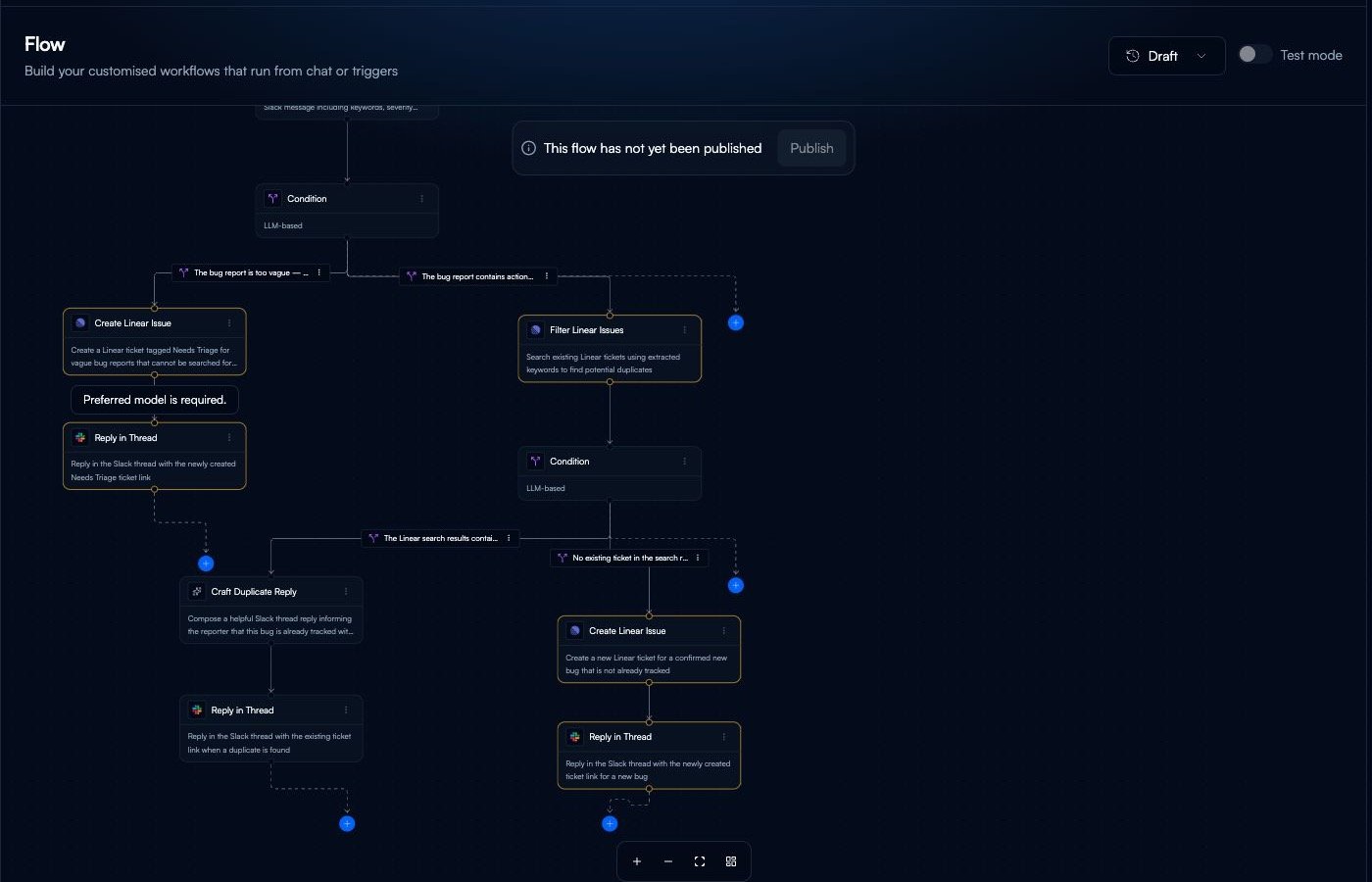 **The Process:**
1. Parent agent reaches a node with "Trigger Agent Task"
2. Payload data is passed to the target agent
3. Target agent executes its workflow
4. Result is returned to parent agent
5. Parent agent continues execution
**The Process:**
1. Parent agent reaches a node with "Trigger Agent Task"
2. Payload data is passed to the target agent
3. Target agent executes its workflow
4. Result is returned to parent agent
5. Parent agent continues execution
Triggering Agents from Workflows
Add a new node where you want to trigger another agent
Choose **"Trigger Agent Task"** from the tool selector
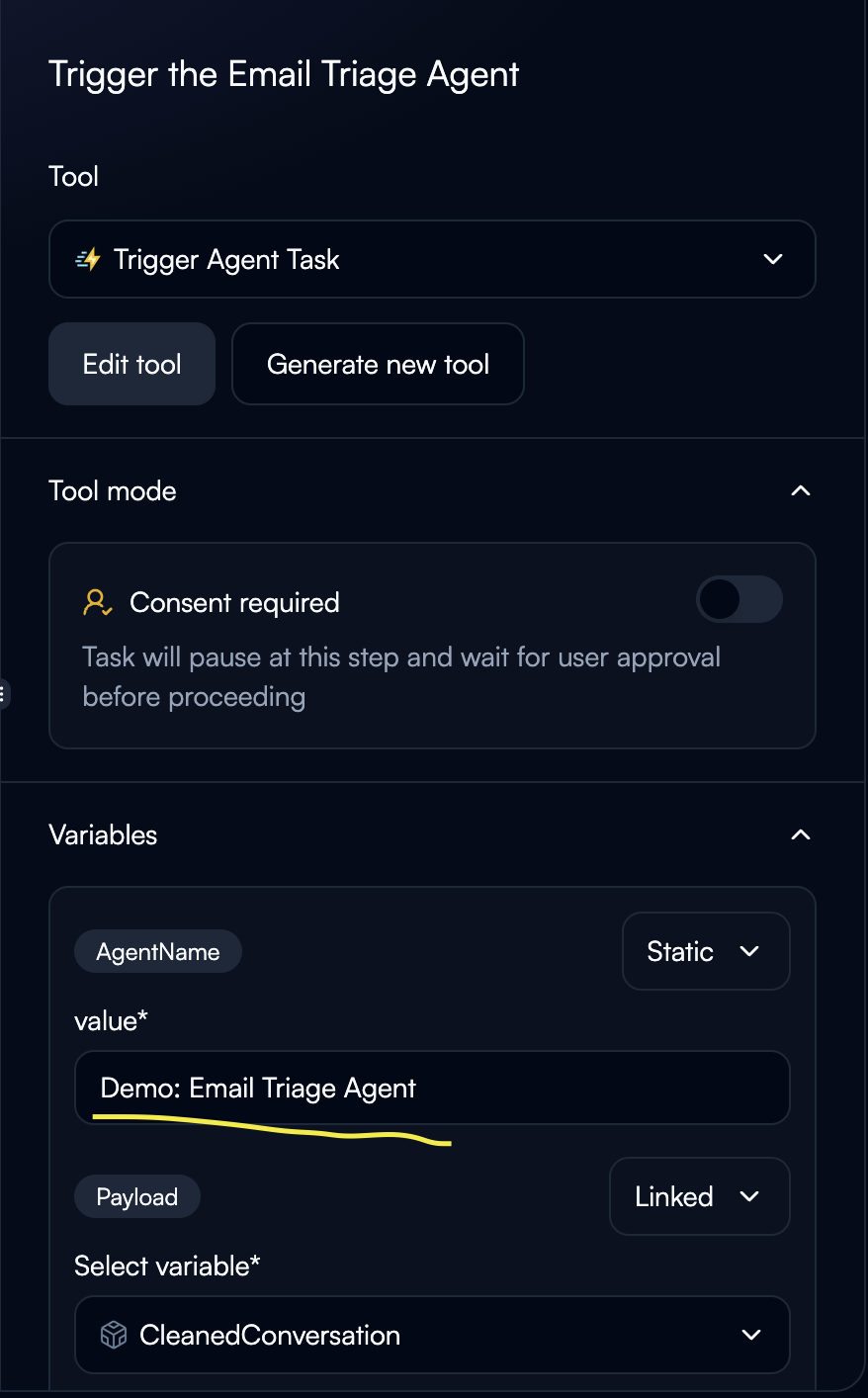 Specify which agent to trigger:
**Static Configuration:**
* Hardcode agent name: "Demo: Email Triage Agent"
* Best for fixed orchestration
**Dynamic Configuration:**
* Agent name from previous node output
* Enables conditional routing to different agents
Define what data to send to the target agent:
Specify which agent to trigger:
**Static Configuration:**
* Hardcode agent name: "Demo: Email Triage Agent"
* Best for fixed orchestration
**Dynamic Configuration:**
* Agent name from previous node output
* Enables conditional routing to different agents
Define what data to send to the target agent:
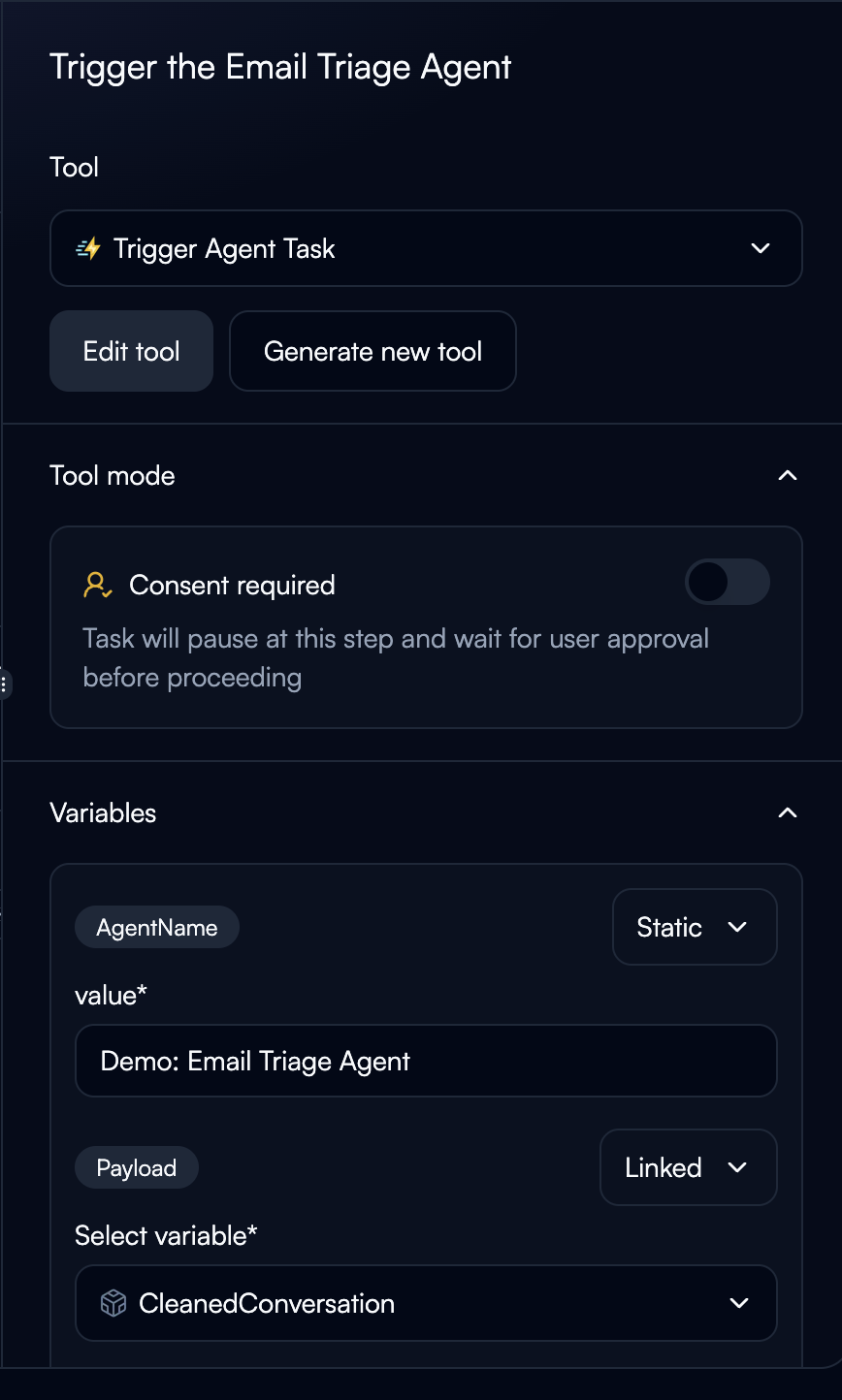 **Payload Variable:**
* Use "Linked" to pass data from previous nodes
* Example: `${query_filter.CleanedConversation}`
* The payload becomes the `task_query` input for the target agent
The triggered agent returns its result
**Access results:**
```
${trigger_node.output_variable}
```
Output structure depends on the target agent's configuration
**Fully Automated:**
* Agent triggers automatically
* Best for trusted collaborations
* Fastest execution
**Consent Required:**
* Pauses for user approval before triggering
* Best for critical operations or testing
* Shows what data will be sent
**Payload Variable:**
* Use "Linked" to pass data from previous nodes
* Example: `${query_filter.CleanedConversation}`
* The payload becomes the `task_query` input for the target agent
The triggered agent returns its result
**Access results:**
```
${trigger_node.output_variable}
```
Output structure depends on the target agent's configuration
**Fully Automated:**
* Agent triggers automatically
* Best for trusted collaborations
* Fastest execution
**Consent Required:**
* Pauses for user approval before triggering
* Best for critical operations or testing
* Shows what data will be sent
Troubleshooting
**Error:** "Agent '{name}' not found"
**Solutions:**
* Verify exact agent name (case-sensitive)
* Check agent exists and is published
* Update configuration if agent renamed
**Issue:** Target agent doesn't receive expected data
**Solutions:**
* Verify previous node outputs contain data
* Check variable names match exactly
* Review target agent's expected input format
**Issue:** Agent A triggers Agent B which triggers Agent A
**Solutions:**
* Add recursion depth tracking in payload
* Implement max iteration limits
* Redesign to avoid circular dependencies
Next Steps
Deploy multi-agent systems to production
Learn advanced flow patterns for orchestration
Understand data passing between agents
Design output schemas for agent responses