

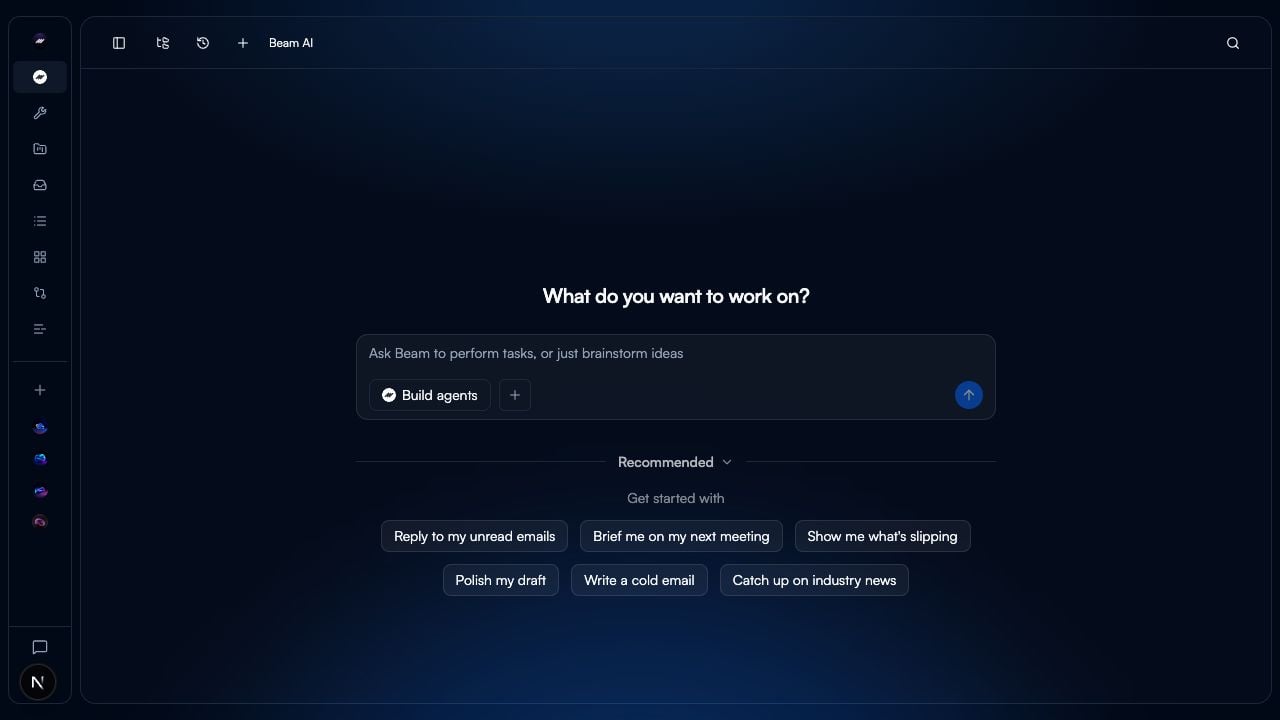
Start in your workspace
Use the workspace picker in the top-left corner to switch workspaces; the active workspace has a check mark. The workspace home then shows What do you want to work on? and a composer for asking Beam to perform tasks or brainstorm ideas. Enter a task or idea there, then select the send arrow. For a guided start, use the paths below.Build your first agent
Create an agent from a template and configure its Flow.
Explore templates
Browse the available agent templates.
Learn core concepts
Understand agents, Flows, tools, variables, tasks, and memory.
Set up your workspace
Orient yourself to workspace navigation, members, and integrations.
Workspace navigation
The workspace navigation includes these surfaces:Agent navigation
When you open an agent, its navigation includes Chat, Tasks, Flow, Learning, Configuration, and Analytics. Use Flow to build the agent’s graph; the Flow page states that Flows run from chat or triggers. You can also enable Test mode from the Flow header before publishing changes.Create an agent
Create an agent and choose how to start building it.
Build a Flow
Configure a Flow with tools, conditions, and triggers.
Run and review Tasks
Review an agent’s Task executions.
Next steps
Configure variable fill
Choose how each node input receives a value.
Connect integrations
Connect the services your agent needs.