

Understanding Multi-Agent Systems
Rather than building monolithic agents that handle everything, create specialized agents that excel at specific tasks and coordinate them through agent-to-agent communication.Specialization
Build focused agents optimized for specific domains or tasks
Reusability
Use the same specialized agents across multiple workflows
Modularity
Update individual agents without affecting the entire system
Orchestration
Coordinate complex processes with clear separation of concerns
How Agent Triggering Works
Agents trigger other agents using the “Trigger Agent Task” tool within workflow nodes.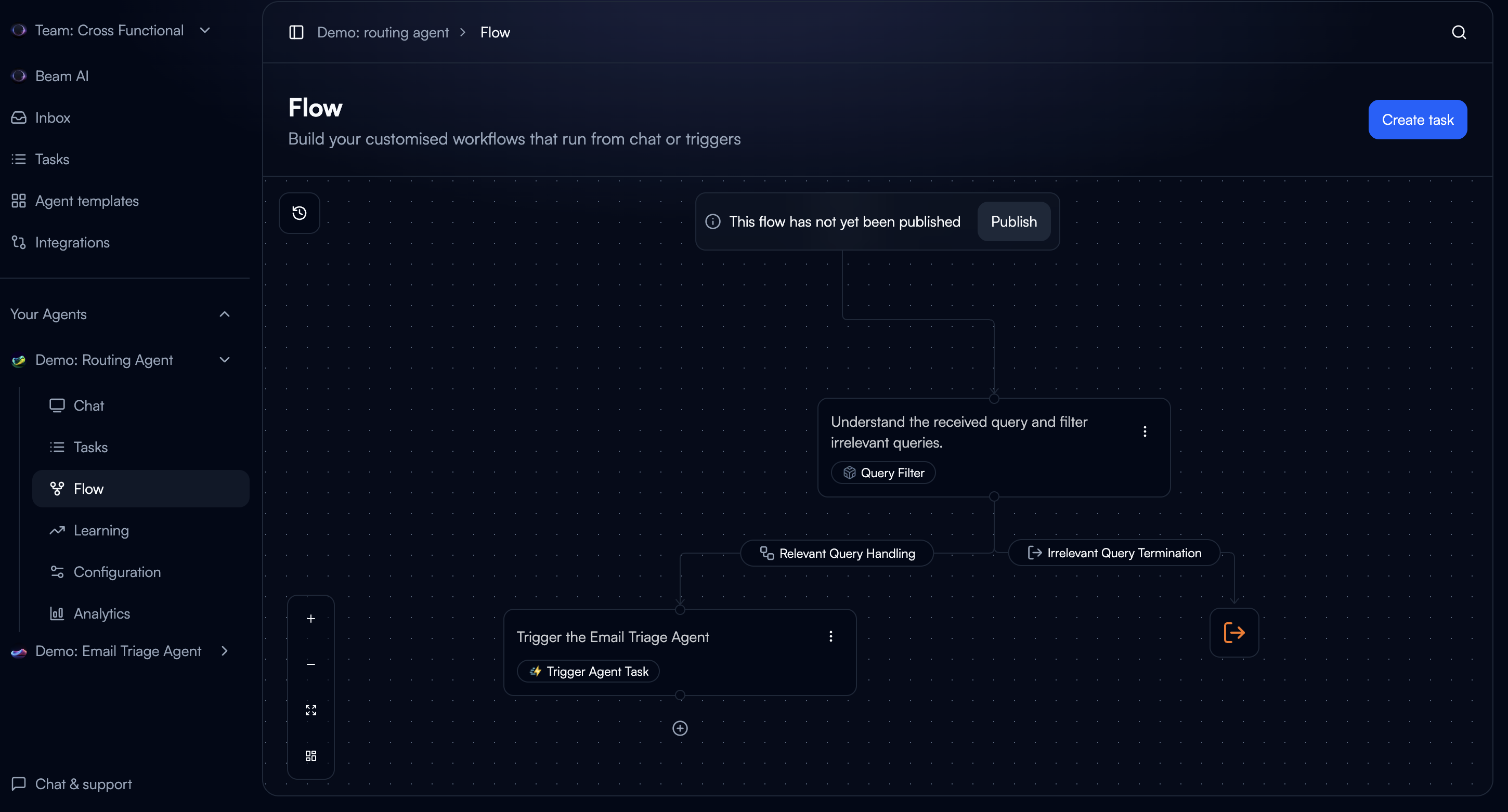
- Parent agent reaches a node with “Trigger Agent Task”
- Payload data is passed to the target agent
- Target agent executes its workflow
- Result is returned to parent agent
- Parent agent continues execution
Triggering Agents from Workflows
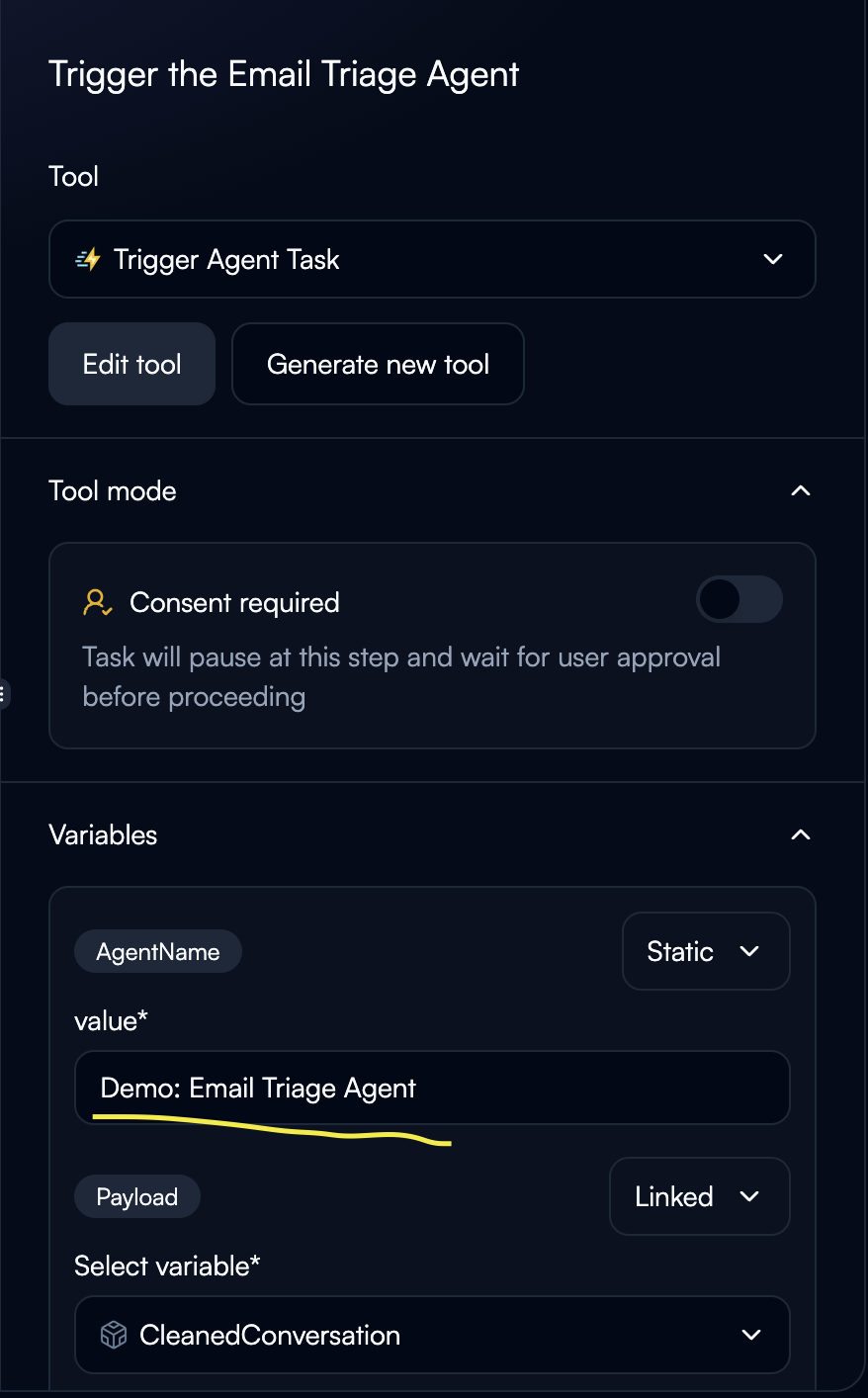
Configure Agent Name
Specify which agent to trigger:Static Configuration:
- Hardcode agent name: “Demo: Email Triage Agent”
- Best for fixed orchestration
- Agent name from previous node output
- Enables conditional routing to different agents
Configure Payload
Define what data to send to the target agent: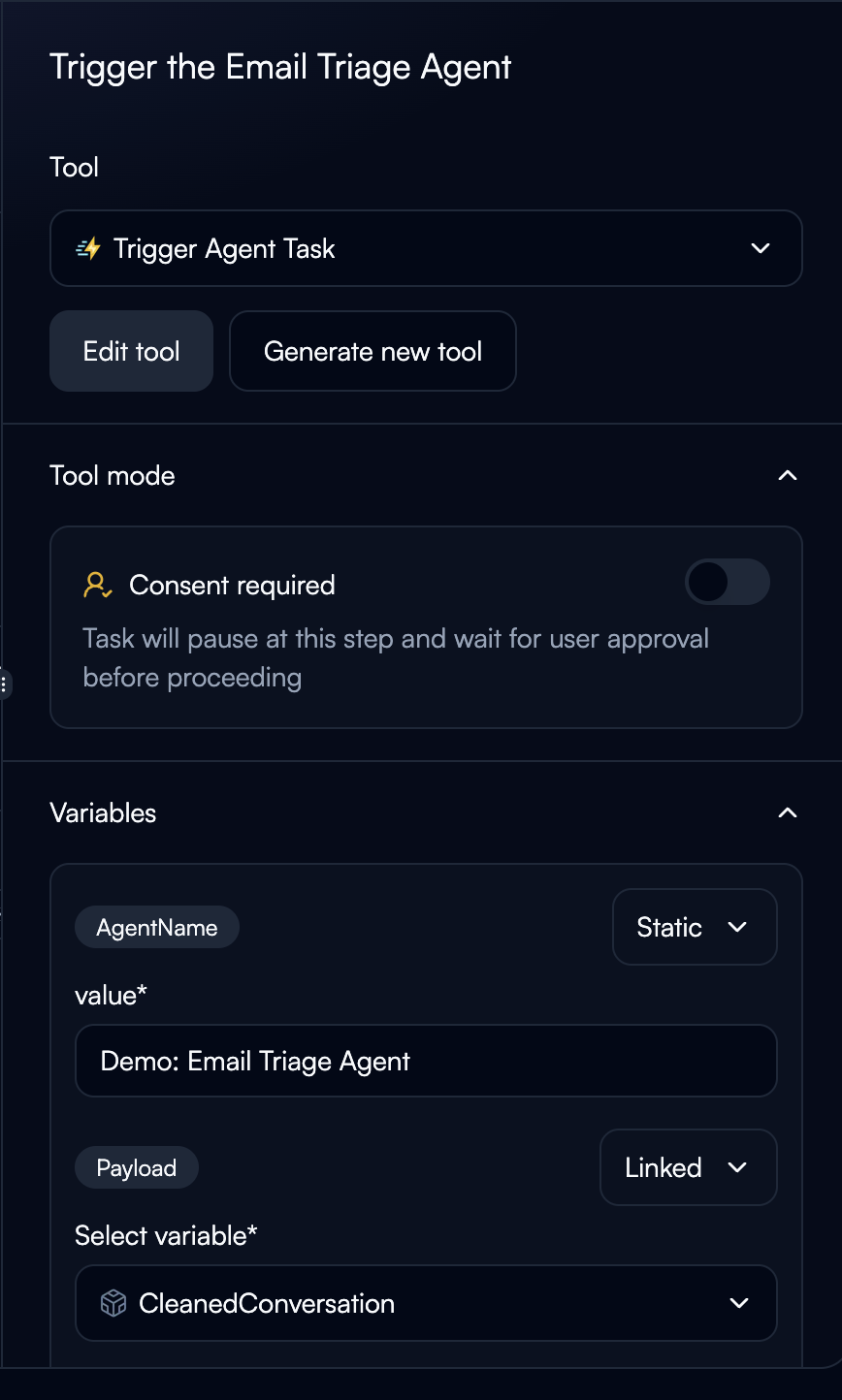
- Use “Linked” to pass data from previous nodes
- Example:
${query_filter.CleanedConversation} - The payload becomes the
task_queryinput for the target agent
Tool Execution Modes
Fully Automated:- Agent triggers automatically
- Best for trusted collaborations
- Fastest execution
- Pauses for user approval before triggering
- Best for critical operations or testing
- Shows what data will be sent
Troubleshooting
Agent Not Found
Agent Not Found
Error: “Agent '' not found”Solutions:
- Verify exact agent name (case-sensitive)
- Check agent exists and is published
- Update configuration if agent renamed
Payload Not Received
Payload Not Received
Issue: Target agent doesn’t receive expected dataSolutions:
- Verify previous node outputs contain data
- Check variable names match exactly
- Review target agent’s expected input format
Circular Dependencies
Circular Dependencies
Issue: Agent A triggers Agent B which triggers Agent ASolutions:
- Add recursion depth tracking in payload
- Implement max iteration limits
- Redesign to avoid circular dependencies
Next Steps
Publishing & Deployment
Deploy multi-agent systems to production
Creating Flows
Learn advanced flow patterns for orchestration
Variables & State
Understand data passing between agents
Structured Outputs
Design output schemas for agent responses