

Publishing Your Agent
Test Your Agent
Run your agent with test inputs to verify all nodes execute correctly and outputs match expectations.
Publish
Click Publish in the agent builder to make your agent available for production use.Published agents can be:
- Triggered via the Beam platform
- Called through the API
- Embedded in external applications
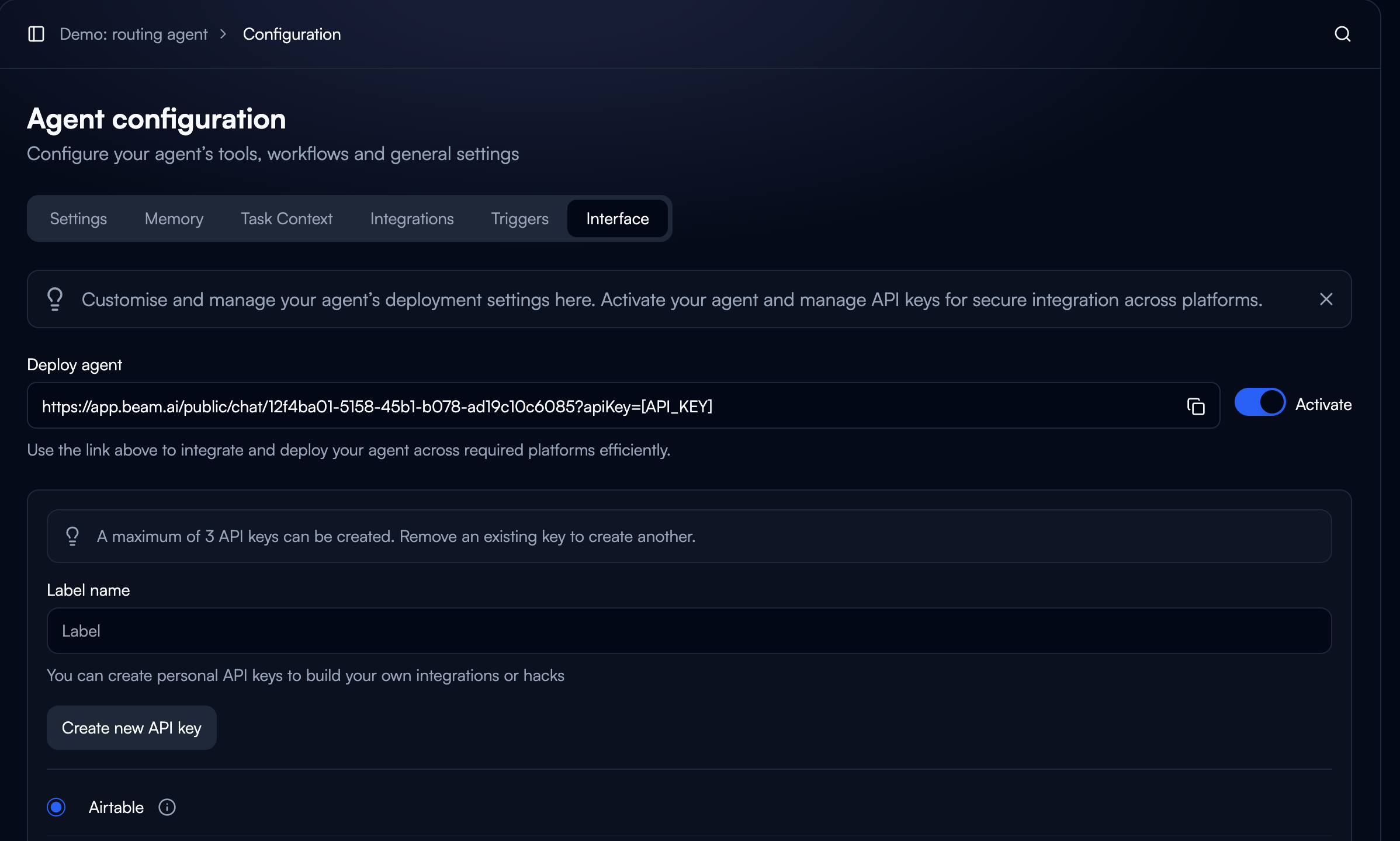
Using the API
Authentication
All API requests require an API key. Include your API key in request headers:Trigger Agent Task
Get Task Status
Deployment Best Practices
Version Control:- Test changes in a duplicate agent before updating production
- Keep notes on configuration changes
- Maintain rollback versions for critical agents
- Review task execution logs regularly
- Set up alerts for failed tasks
- Track performance metrics and execution times
- Rotate API keys periodically
- Use workspace-specific keys for different environments
- Never expose API keys in client-side code
- Restrict API key permissions to minimum required
- Monitor task volume and execution patterns
- Optimize long-running workflows
- Cache frequently accessed data
- Use batch operations where possible
API Documentation
For complete API reference, authentication details, and endpoint documentation, see the API Reference.Next Steps
API Reference
Complete API documentation and endpoints
Multi-Agent Collaboration
Coordinate multiple agents in production
Triggers & Webhooks
Automate agent execution with triggers and webhooks
Task Executions
Monitor and track production tasks