

Understanding Structured Outputs
Structured Outputs define output variables with specific data types that the AI must populate when executing a tool. This transforms conversational responses into clean, typed data.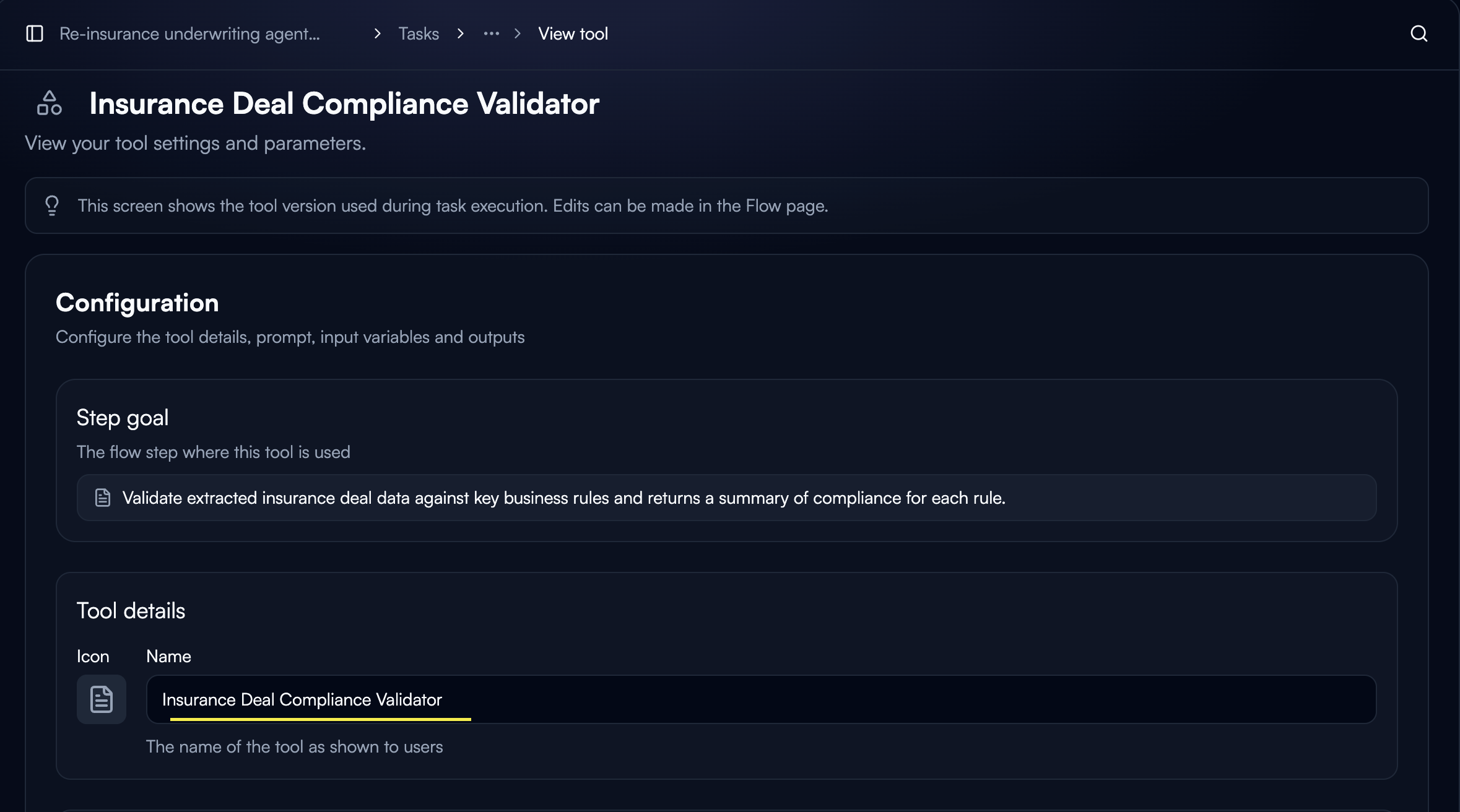
- Predictable formats: AI returns data in exact structure you define
- Type safety: Guarantee data types match expectations
- Easy linking: Output variables become inputs for downstream nodes
- Reduced errors: Eliminate parsing and validation issues
Configuring Output Variables
Output variables are defined at the tool level in Custom GPT tool configuration.Access Tool Configuration
Open your Custom GPT tool settings and navigate to the Output variables section.
Add Output Variable
Click “Add output” to create a new output variable.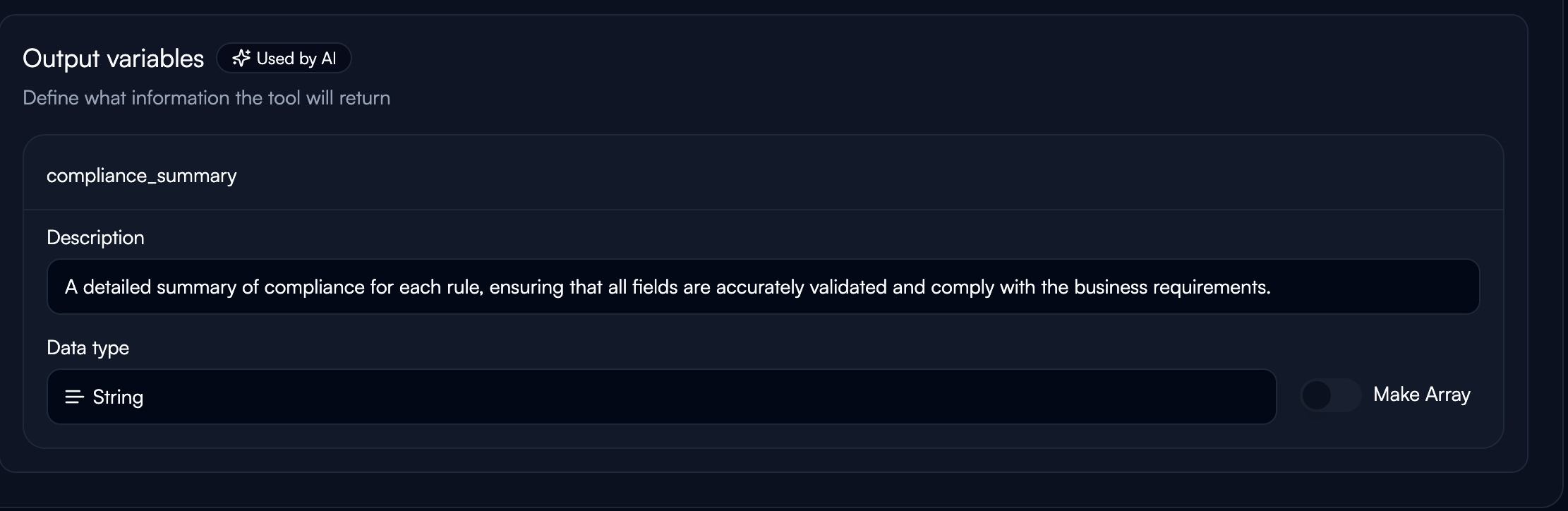
- Use snake_case naming (e.g.,
customer_email,ticket_priority) - Must be unique within the tool
- Clear instruction for the AI on what to extract
- Be explicit and prescriptive
- Example: “Extract the customer’s email address exactly as provided”
Data Types
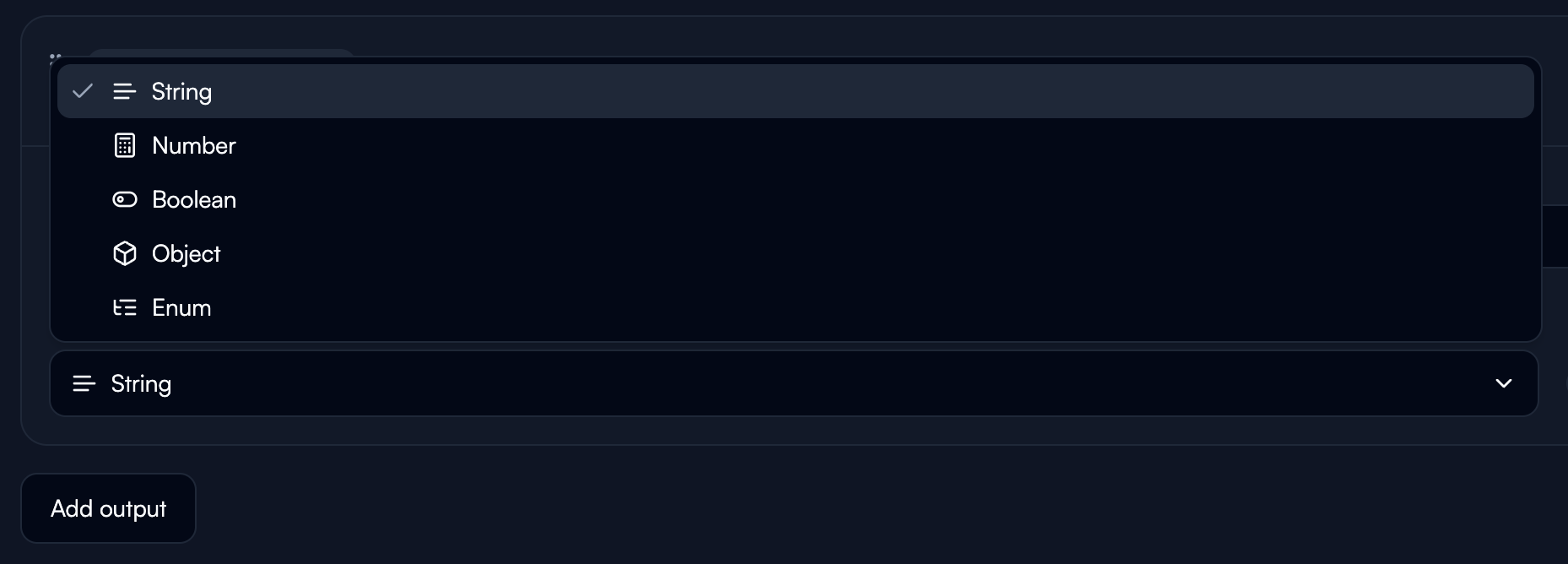
String: Text data of any length. Use for names, descriptions, categories. Number: Numeric values including integers and decimals. Use for IDs, quantities, amounts, scores. Boolean: True or false values. Use for flags, status indicators, yes/no determinations. Object: Nested JSON structures for complex, grouped data. Example:Key Principles
Sequential Processing
All outputs in one tool are generated in a single LLM call, processed sequentially. Order matters. Recommended order:- Context gathering (if needed)
- Reasoning/analysis fields
- Intermediate extractions
- Final answer fields
Reason First
Always place reasoning fields before extraction fields. This forces the model to analyze before concluding. Poor Design:- Dramatically improves accuracy
- Makes logic transparent and debuggable
- Reasoning can be stored for review
Descriptions Are Directives
The description is a direct instruction to the AI. Be explicit. Examples: Simple extraction:Unique Naming
Every output variable must have a unique name across your entire agent. Good naming:email_classifier_categoryinvoice_extractor_totalcustomer_analysis_id
result,output,data(too generic, likely duplicated)
Linking Outputs to Downstream Nodes
Structured outputs create variables accessible in subsequent nodes.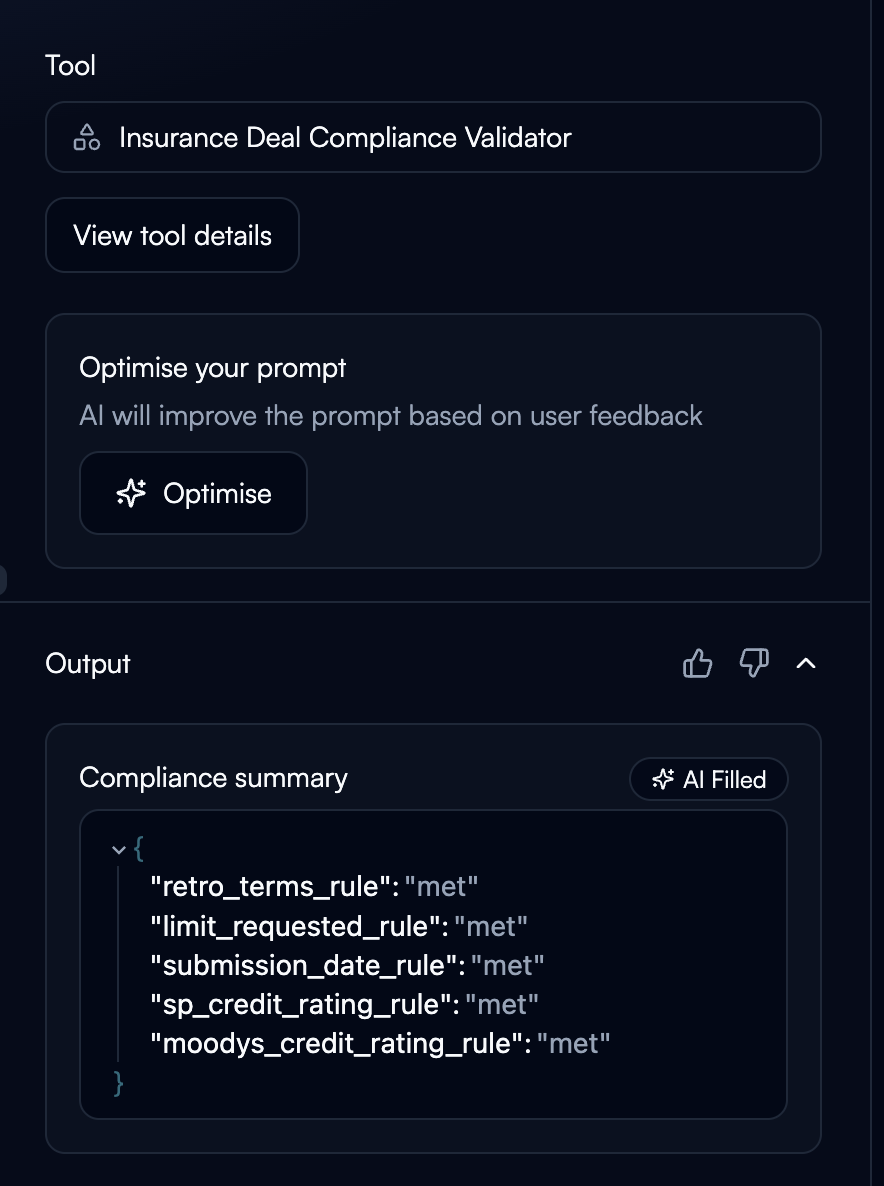
Common Patterns
Classification + Data Extraction:classification, pass customer_id to CRM lookup, use urgency_level for prioritization.
Validation with Confidence:
needs_review - high confidence → automate, low confidence → human review.
Handling Arrays:
For multiple items, structure as an array within an Object type:
Best Practices
Naming Conventions:- Prefix with tool purpose:
email_classifier_category,invoice_extractor_total - Use descriptive names:
customer_priority_scorenotscore - Avoid generic names: Don’t use
result,output,data
Troubleshooting
Wrong Data Type
Wrong Data Type
Issue: AI returns string when you expected numberSolutions:
- Make description more explicit: “Extract as a number, digits only, no text”
- Check if source data actually contains the expected type
- Add validation in description: “If not a number, return 0”
Inconsistent Formats
Inconsistent Formats
Issue: AI returns dates in different formatsSolutions:
- Be prescriptive: “Return date in YYYY-MM-DD format exactly”
- Provide examples in description: “Format: 2024-01-15”
- Use constrained values (Enum) when possible
Missing Fields
Missing Fields
Issue: Some outputs are empty or nullSolutions:
- Add fallback instructions: “If not found, return ‘N/A’”
- Check if AI has access to required input data
- Verify previous nodes are passing data correctly
Linked variable not accessible
Linked variable not accessible
Issue: Downstream node can’t access structured outputSolutions:
- Verify unique variable naming across entire agent
- Check node execution completed successfully
- Review exact variable name (case-sensitive)
- Confirm data type compatibility
Next Steps
Variables & State
Learn how to link structured outputs between nodes
Selecting Tools
Understand Custom GPT tools that use structured outputs
Integration Connectors
Pass structured outputs to external systems
Creating Flows
Use structured outputs for branching and routing